- Solutions For
Specialist IT Support Services for:
- Security
Security
- Our Expertise
Our Full Range of IT Services

 IT Support Service Desk
 IT Infrastructure Services
 Remote Monitoring & Management (RMM)
 Cloud Solutions for Business
 Business Continuity & Backup Services
 Cyber Security Services
 IT Consultancy Services
 Microsoft 365 Solutions
 Perimeter Firewall Security Services
 Network & Data Security Services
 IT Audits for Business
 Dark Web Monitoring Services
 User Security Awareness Training
 Endpoint Security Services
 vCIO & CIO Services
 Mobile Device Management Services
 Managed Wi-Fi Solutions
 Cyber Essentials Certification for Law Firms
Posted 21st October 2026
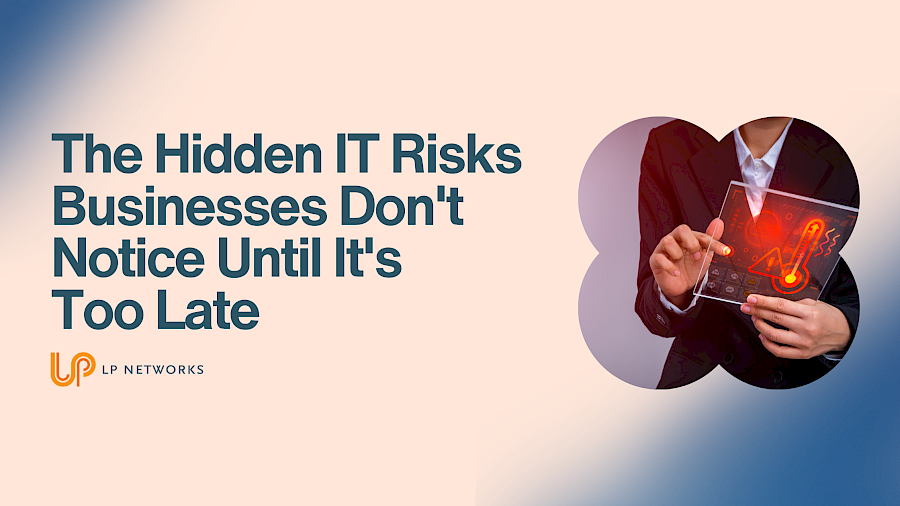
When was the last time you reviewed your business's IT setup from top to bottom?
Most businesses focus on the obvious things. Keeping systems running, protecting against cyberattacks and making sure employees have the tools they need to work.
But some of the biggest IT risks are the ones nobody notices.
An old laptop sitting in a cupboard, a former employee's account that was never disabled, or a software subscription nobody uses anymore might not seem like a major concern. Individually, these issues can be easy to overlook.
Together, they can create security vulnerabilities, unnecessary costs and problems that only come to light when something goes wrong.
Here are some of the hidden IT risks worth checking in your business.
When an employee leaves or changes roles, their access to business systems needs to be reviewed.
Unfortunately, this does not always happen.
Old email accounts, unused administrator profiles and accounts belonging to former employees can remain active long after they are needed. If an attacker gains access to one of these accounts, they could potentially use it to access company data or systems without raising suspicion.
Regular account reviews help ensure that:
It is a simple check that can make a significant difference to your security.
Technology does not last forever, but it is easy to keep using equipment that still appears to work.
The problem is that older devices and unsupported software can become a security risk when manufacturers stop providing updates and security patches.
An ageing laptop might still switch on every morning, but if its operating system is no longer supported, known vulnerabilities may remain unpatched.
The same applies to outdated servers, network equipment and business applications.
Make sure you know which devices and systems your business relies on, when they will reach end of support and what your replacement plan looks like.
Waiting until something breaks is rarely the most cost-effective approach. Planned upgrades give you more control over budgets and help avoid unexpected disruption.
Cloud software makes it easy for employees to sign up for tools that help them do their jobs.
Over time, though, businesses can end up paying for applications nobody uses.
These unused Software as a Service (SaaS) subscriptions can create two problems: unnecessary spending and security risks.
An abandoned application may still contain company information, retain user accounts or allow access through an old integration.
Review your software regularly and ask:
Cancel subscriptions you no longer need, remove unnecessary access and make sure every application has a clear owner.
Does everyone in your business have access to more than they actually need?
It is surprisingly common for employees to accumulate permissions over time. Someone moves into a new role, takes on additional responsibilities or needs temporary access to a system. Those permissions are granted, but nobody remembers to remove them later.
This creates unnecessary exposure if an account is compromised.
The principle of least privilege is straightforward: employees should only have access to the information and systems required for their role.
Review permissions regularly, pay particular attention to administrator accounts and remove access that is no longer necessary.
It is also worth checking shared folders and cloud platforms, where sensitive information can sometimes be accessible to far more people than intended.
When someone leaves your business, there is more to consider than collecting their laptop and arranging their final payslip.
Their digital access needs to be removed properly too.
A rushed or inconsistent offboarding process can leave behind active email accounts, remote access permissions, application logins and access to shared company data.
A good offboarding checklist should cover:
The process should also cover contractors and temporary staff, not just permanent employees.
Having a consistent procedure means fewer steps are missed when someone leaves, even when the business is busy.
Every business has equipment that seems to disappear into the background.
It might be an old laptop kept as a spare, a tablet used by a previous team member or a network device installed years ago.
The issue is not simply that nobody knows who owns it. It is that nobody may be responsible for keeping it updated, secure or accounted for.
Without an accurate IT asset register, businesses can struggle to identify vulnerable devices, track equipment or understand exactly what is connected to their network.
Keep a record of your hardware, including:
If a device is no longer needed, make sure it is securely decommissioned, with company data removed appropriately.
These risks rarely appear overnight. They build up gradually as businesses grow, employees change roles and new technology is introduced.
The answer is not to replace everything or introduce complicated processes for the sake of it. It is to establish good IT housekeeping and make regular reviews part of the way your business operates.
Start with an audit of your users, devices, software and permissions. Identify what is outdated, unused or unaccounted for, then prioritise the issues based on their security and business impact.
A regular review, supported by clear processes and good documentation, can help prevent small oversights from turning into expensive problems.
Your IT environment is constantly changing, and the risks are not always the ones that demand your immediate attention.
Forgotten accounts, unsupported hardware, unused subscriptions and excessive permissions can all leave your business exposed without anyone realising. The longer these issues go unnoticed, the harder they can become to manage.
At LP Networks, we help businesses keep their IT environments secure, organised and running efficiently. From reviewing user access and managing devices to maintaining software and identifying potential vulnerabilities, we can help you stay on top of the details that matter.
When was your IT setup last properly reviewed?
Get in touch with LP Networks to discuss your IT support and find out how we can help identify hidden risks, improve security and keep your business running smoothly.